
Desk Stretch Break Routine: Small Mobility Habits That Reset Posture All Day
Hours at a screen can quietly turn the neck stiff, the back tight, and the shoulders rounded forward. Even brief movement “snacks” between tasks can ease tension and support alignment without special equipment, extra space, or major schedule changes.
This story is part of DailySeekers's practical reading library across everyday topics.
Why Long Sitting Targets The Neck, Back, And Shoulders
The upper body is built to move often, not to hold one shape for most of the day. When the head, ribcage, and shoulders stay still for too long, muscles and joints begin to signal steady, low‑level strain.
Sitting for extended stretches reduces blood flow to the muscles that support the spine. With less circulation, these muscles receive fewer fresh nutrients and have a harder time clearing waste products. They fatigue and stiffen, which can feel like a dull ache or tightness, especially in the lower back and between the shoulder blades.
Posture plays a big role. When the body slides into a slouch, the natural curves of the spine flatten. Extra load lands on certain segments rather than being shared. A screen set low or far away invites the head to creep forward. The small muscles at the base of the skull and along the neck work overtime to keep the head from dropping, while the shoulders roll inward and the chest collapses.
Even joints that are held in a “good” position prefer occasional movement. Being locked in one posture for a long time can irritate joints in the spine, ribs, and shoulders. A short stand‑up or a quick round of shoulder rolls can feel relieving. These tiny changes restore circulation and let support muscles rest.
Your body does not just care about how you sit; it cares about how long you sit that way without any change.
A Short Chair‑Friendly Flow Between Tasks
When one task ends, it is easy to reach for the phone or open another tab. Using that pause for a short sequence instead can ease tension and give eyes and attention a reset. This sequence stays right at the chair, works in regular clothes, and can fit into a single minute if needed. Move slowly, breathe steadily, and skip anything that feels sharp or unstable.
Neck, Shoulder, And Chest Release
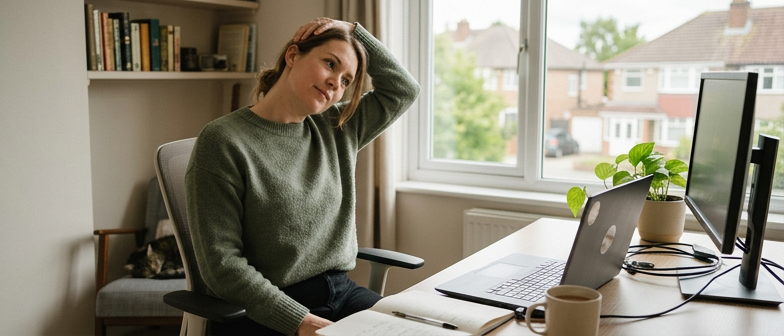
Sit toward the front of the seat with both feet flat. Let your spine lengthen as if the crown of the head is gently drawn upward. Start with neck turns: look over one shoulder, pause, return to center, then turn to the other side. Keep the movement comfortable.
Let your arms rest by your sides and draw circles with your shoulders. Roll them forward several times, then reverse and roll them back. Interlace your fingers, turn your palms away, and reach the hands forward at chest height.
To open the front of the body, place your hands on the back of your chair or on your lower back. Draw the elbows gently toward each other and lift your chest slightly, keeping the neck long rather than thrown back.
Hips, Spine, And Eye Reset
Remain seated tall. Cross one ankle over the opposite knee to form a relaxed “figure four.” Hinge forward a little from the hips until you sense a stretch around the outer hip or buttock of the crossed leg. Take several slow breaths, then switch legs.
Bring both feet back to the floor. For a gentle twist, place one hand on the opposite knee and the other on the side or back of the chair. Rotate from the mid‑spine, not from the neck alone. On each exhale, allow the body to soften into the position without forcing a deeper turn. Repeat to the other side.
To finish, shift attention to your eyes. Look away from the screen toward a distant point. Blink slowly several times, then trace a small, imaginary rectangle with your gaze.
A quick reference for the sequence:
| Mini‑sequence step | Main area you are helping | When it is especially useful |
|---|---|---|
| Neck turns and shoulder rolls | Side of neck, upper back, shoulders | After intense typing or long video calls |
| Forward reach and chest opener | Upper back, chest, front of shoulders | After leaning toward the screen or slouching |
| Figure‑four and seated twist | Hips, lower back, spine rotation | After long sitting without standing or walking |
| Eye focus reset | Eye muscles, forehead, attention | After reading dense text or detailed visuals |
How Often, How Long, And How Strong To Move
Building useful movement into a workday is less about dramatic sessions and more about regular, realistic patterns you can keep up.
Finding A Sustainable Rhythm
For easing stiffness from sitting, frequency matters more than intensity. The main issue is staying in one shape for too long, so small, regular movement breaks tend to help more than a single long session at the end of the day.
A workable pattern for many people is to adjust position or add a tiny movement every couple of dozen minutes. That could be shoulder rolls, a gentle neck turn, standing up for a sip of water, or shifting your weight in the chair. Around every longer work block, add a few minutes of more deliberate stretching or light movement, such as the chair‑friendly flow above.
If that sounds unrealistic, start with one short break roughly every hour. Once that feels routine, extra mini‑moves can be layered in.
Comfortable Intensity And Practical Hold Times
For movements that fit into a work setting, short, repeatable holds are usually enough. Many people find that staying in a position for roughly the length of a few slow breaths provides benefits. A stretch can be revisited two or three times if it feels useful, with a relaxed pause between rounds.
Look for a sense of gentle to moderate lengthening, not strain. You might feel clear tension or a mild pull in the muscle belly, but not sharp pain, burning, or discomfort deep in the joint. Move into each position gradually, pause at the first point that feels stretchy yet comfortable, and rest there.
If you cannot keep your breathing easy or would struggle to hold a short conversation, the stretch is probably too strong.
Small Setup Tweaks And Habit Cues That Quietly Support Alignment
A few environmental changes can make it easier to sit in a comfortable, supported way without constant effort. When the desk and chair do some of the work, you do not have to “remember” good posture as often.
Let The Workspace Carry Part Of The Load
Starting with the screen can reduce neck strain. When the top edge is roughly level with your eyes, it is less tempting to crane the neck forward or angle it sharply downward. With a portable computer, raising the device and using separate input tools can help line things up more comfortably.
Seat height also matters. Sitting so that the hips are slightly higher than the knees, with feet resting flat on the floor, tends to encourage a more neutral spinal curve. Legs tucked far under the chair or feet dangling off the ground can nudge the pelvis into a position that makes slouching more likely.
Keeping frequently used items close reduces the need for repeated reaching and twisting. Placing the keyboard, pointing device, and notepad where elbows can rest near the ribs allows the shoulders to relax instead of staying shrugged or dragged forward.
Building Gentle Movement Into Daily Cues
Even with a supportive setup, stiffness still builds if the body stays in one pattern for long blocks. Short, regular mini‑sessions help “reset” alignment before tension piles up.
Tying movement to actions you already perform can make it easier to remember. For example, finishing a call can trigger shoulder circles and a chest opener. Sending a batch of messages can cue a seated twist and eye reset. Refilling a drink can pair with a brief stand, a step or two, or a hip stretch at the edge of the chair.
This treats posture less as one big correction and more as tiny course adjustments. Over time, the combination of a supportive workspace and frequent low‑key movement lets your body cycle through different shapes, rather than staying locked in a single sitting pattern.
A quick way to choose movements for common situations:
| Situation during the day | Simple action to pair with it | Main effect you may notice |
|---|---|---|
| Ending a meeting or call | Shoulder rolls, neck turns | Eases upper‑back tightness, resets head position |
| Sending a group of messages | Seated twist, chest opener | Unwinds mid‑spine, opens front of shoulders |
| Waiting for a file to load or save | Figure‑four, ankle circles | Wakes up hips and lower legs |
| Standing to refill a drink | Gentle forward fold, slow steps | Loosens back line of body, refreshes energy |
Q&A
-
How can I build a realistic Desk Stretch Break Routine that I’ll actually follow?
Start by attaching one tiny move to an existing cue, like finishing an email or standing to refill coffee. Keep the routine under two minutes, focusing on one neck, one shoulder, and one hip stretch. Track it for a week, then layer extra moves only after the habit feels automatic. -
What are simple Workday Mobility Habits that help even on the busiest days?
Aim for micro‑moves: ankle circles during calls, shoulder rolls while reading, gentle torso shifts when thinking. Stand briefly at least once an hour, even if just to change the angle of your spine. Consistency of small motions matters more than intensity or duration for everyday mobility. -
Which Shoulder Relief Movements are best if I use a mouse all day?
Combine slow shoulder rolls with scapular slides, gently drawing shoulders up, back, and down. Add doorway or seated chest stretches to open the front of the shoulders. Light resistance band pull‑aparts, if available, can rebalance overworked anterior muscles and support more comfortable shoulder positioning. -
What Neck Relaxation Exercises are safe to do right at my desk?
Gentle range‑of‑motion work is usually safest: slow rotations, side bends with the shoulders relaxed, and small nodding movements as if saying “yes.” Move within pain‑free limits and avoid aggressive pulling with the hands. Pair each motion with calm breathing to down‑shift overall neck and jaw tension. -
How can a Sitting Break Reminder support a daily Posture Reset Flow and Office Wellness Routine?
Use subtle prompts—calendar nudges, browser extensions, or smartwatch vibrations—set for every forty to sixty minutes. Each reminder signals a quick posture scan: feet grounded, spine tall, shoulders released. Add one chosen stretch “cluster” per reminder so your Office Wellness Routine becomes predictable, brief, and sustainable.